Quality and rework for leather and footwear
Review quality results and rework quantities before identifying accepted receipts, and follow the movements affecting order cost.



Separate accepted output, rework and rejection
The product scope supports inspection results, accepted and rejected quantities, and rework linked to the original order or stage. Rejection and the decision on its disposition remain separate.
-
1Clear models and precise sizes.
-
2Seamless tracking of manufacturing and delivery stages.
-
3Effective control over waste and order costs.



We understand model, size, and waste challenges in leather and footwear.
Many sizes and materials, and work split across shops, make full-order follow-up harder.

Overlapping models and sizes
Required and produced quantities can diverge when every size and color is tracked separately.

Leather consumption variances
It is hard to explain higher leather use or cutting waste.

Bottlenecks between stages
Pieces can pile up between cutting, stitching, and assembly without a clear view.

Unclear order cost
It is hard to collect leather, accessory, and operating cost for every order.
See how Masna3y Pro handles your factory challenges inside the system
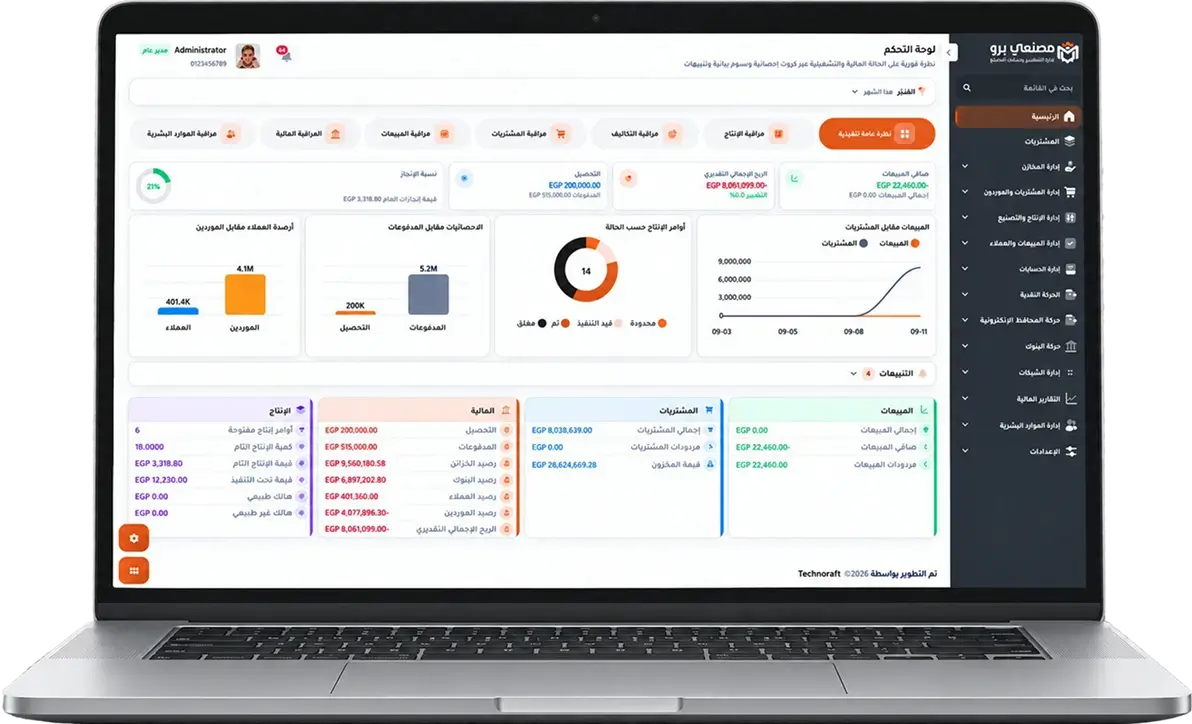
Every stage in your factory becomes clearer when materials, operations, production, waste, and cost are connected in one platform.
- Uniform and connected data.
- More transparent actual cost.
- Real-time reports that help management decide.
Production order reports
Track planned, in-progress, completed, and delayed orders, with required, executed, and remaining quantities.
Material consumption reports
Compare standard recipe quantities with issued and actually consumed quantities.
Batch and expiry reports
Follow batch movements and quantities with production and expiry dates and inventory status.
Quality reports
Show inspection results for materials, production, and finished goods, with accepted, rejected, and rejection reasons.
Waste reports
Know waste quantity, percentage, causes, stage, and impact on operations and cost.
Actual cost reports
Compare planned and actual cost per product or production order and identify variance sources.
Inventory reports
Show balances, movements, available, reserved, slow-moving, or near-expiry quantities.
Sales and profitability reports
Follow product and customer sales, collections, and margins from operational and financial data.


Separate accepted output, rework and rejection
Following quality and rework
The product scope supports inspection results, accepted and rejected quantities, and rework linked to the original order or stage. Rejection and the decision on its disposition remain separate.
Simulation: following 60 pairs
In a hypothetical example, 52 pairs are accepted, 5 require rework and 3 are rejected pending a disposition decision: 60 in total. If 4 reworked pairs are then accepted, the balance becomes 56 accepted, 1 still in rework and 3 rejected. Rejected output is not automatically recorded as final waste.
Review evidence and the decision
Reconcile inspection results, rework movements and received quantities against the production order, then review cost. This is a simulation, not a customer result or evidence of one combined report. Rework is not assumed to be cost-free.
Size and model requirements
A size-and-colour matrix or automatic costing for every size is not established by this page. Review these requirements and item coding with the technical team.
Review the workflow, cost and activation plan
Quality and rework for leather and footwear | Masna3y Pro
Review quality results and rework quantities before identifying accepted receipts, and follow the movements affecting order cost.



