Glass, door and facade orders and stock
Review the customer-order quantity and matching available stock, then identify the quantity that requires production before arranging delivery.



Does matching finished stock cover the customer order?
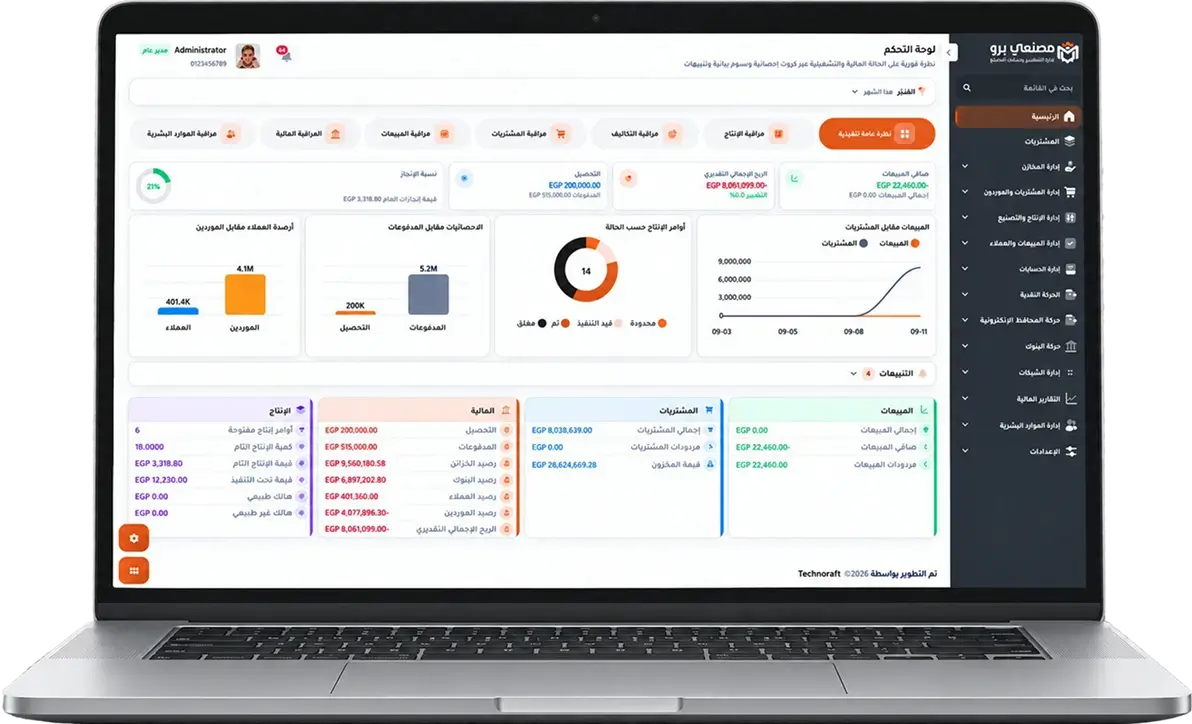
Masna3y Pro connects the sales order to products, quantities, warehouse and delivery date. Review stock available for reservation and follow production requirements when that stock is insufficient.
-
1Clear sizes and specs for every order.
-
2Follow execution and delivery stages.
-
3Control waste and order cost.



We understand size and execution challenges in glass, doors, and facades.
Every order has different sizes, and any cutting or installation error hits cost and delivery date directly.

Size and specification errors
Scattered size data can lead to cutting or execution with the wrong specs.

Glass and material waste
Breakage and cutting variances can raise cost without a clear order link.

Delayed installation stages
It is hard to know where an order stopped between manufacturing, installation, and delivery.

Pricing far from cost
It is hard to confirm order profitability without collecting actual material and stage costs.
See how Masna3y Pro handles your factory challenges inside the system
Every stage in your factory becomes clearer when materials, operations, production, waste, and cost are connected in one platform.
- Uniform and connected data.
- More transparent actual cost.
- Real-time reports that help management decide.
Production order reports
Track planned, in-progress, completed, and delayed orders, with required, executed, and remaining quantities.
Material consumption reports
Compare standard recipe quantities with issued and actually consumed quantities.
Batch and expiry reports
Follow batch movements and quantities with production and expiry dates and inventory status.
Quality reports
Show inspection results for materials, production, and finished goods, with accepted, rejected, and rejection reasons.
Waste reports
Know waste quantity, percentage, causes, stage, and impact on operations and cost.
Actual cost reports
Compare planned and actual cost per product or production order and identify variance sources.
Inventory reports
Show balances, movements, available, reserved, slow-moving, or near-expiry quantities.
Sales and profitability reports
Follow product and customer sales, collections, and margins from operational and financial data.


Does matching finished stock cover the customer order?
From sales order to production need
Masna3y Pro connects the sales order to products, quantities, warehouse and delivery date. Review stock available for reservation and follow production requirements when that stock is insufficient.
Simulation: 20 doors ordered, 8 matching doors available
For a hypothetical product matching the order specifications, 20 doors are ordered and 8 are available without reservations; the shortfall is 12 doors requiring production. Review availability and reservations first. The 8 are not yet delivered, and the 12 do not imply an automatically created production order.
What should the reports review?
Compare the sales-order quantity with item stock and reservations, then follow production and delivery. These figures are an illustrative review, not a customer case or a verified single report with these exact columns.
Scope requiring technical review
Dimensional calculations, cutting optimisation, design-software integration and on-site installation management are not established by this example. Each requirement needs technical review.
Review the workflow, cost and activation plan
Glass, door and facade orders and stock | Masna3y Pro
Review the customer-order quantity and matching available stock, then identify the quantity that requires production before arranging delivery.



